

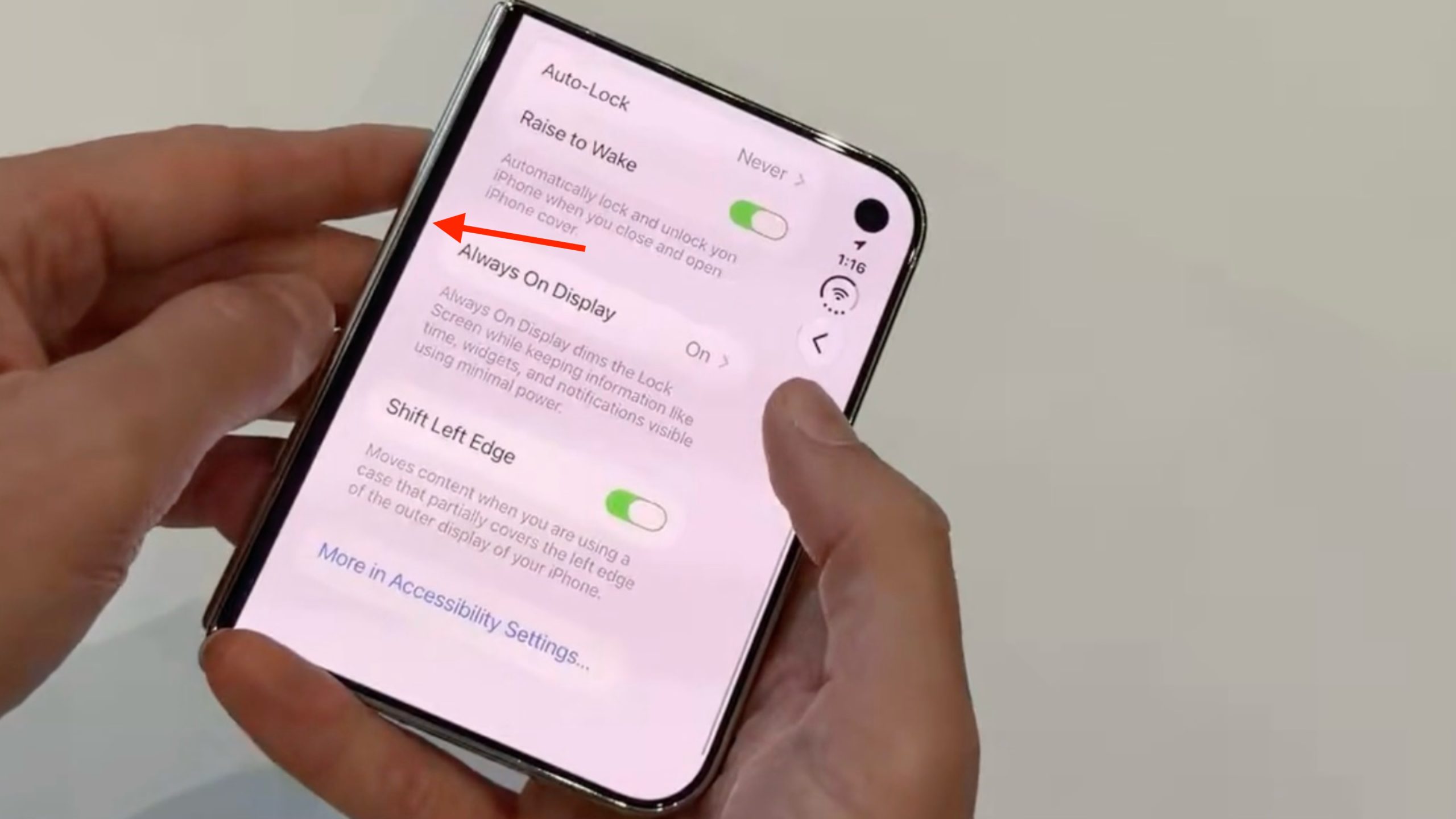
We first covered the setting in September, and Apple has since documented it, revealing that when you fit Apple's official iPhone Duo Case, a prompt automatically appears on the display to direct you to the setting. However, you can also turn it on manually at any time for third-party cases.
How to Turn On Shift Left Edge
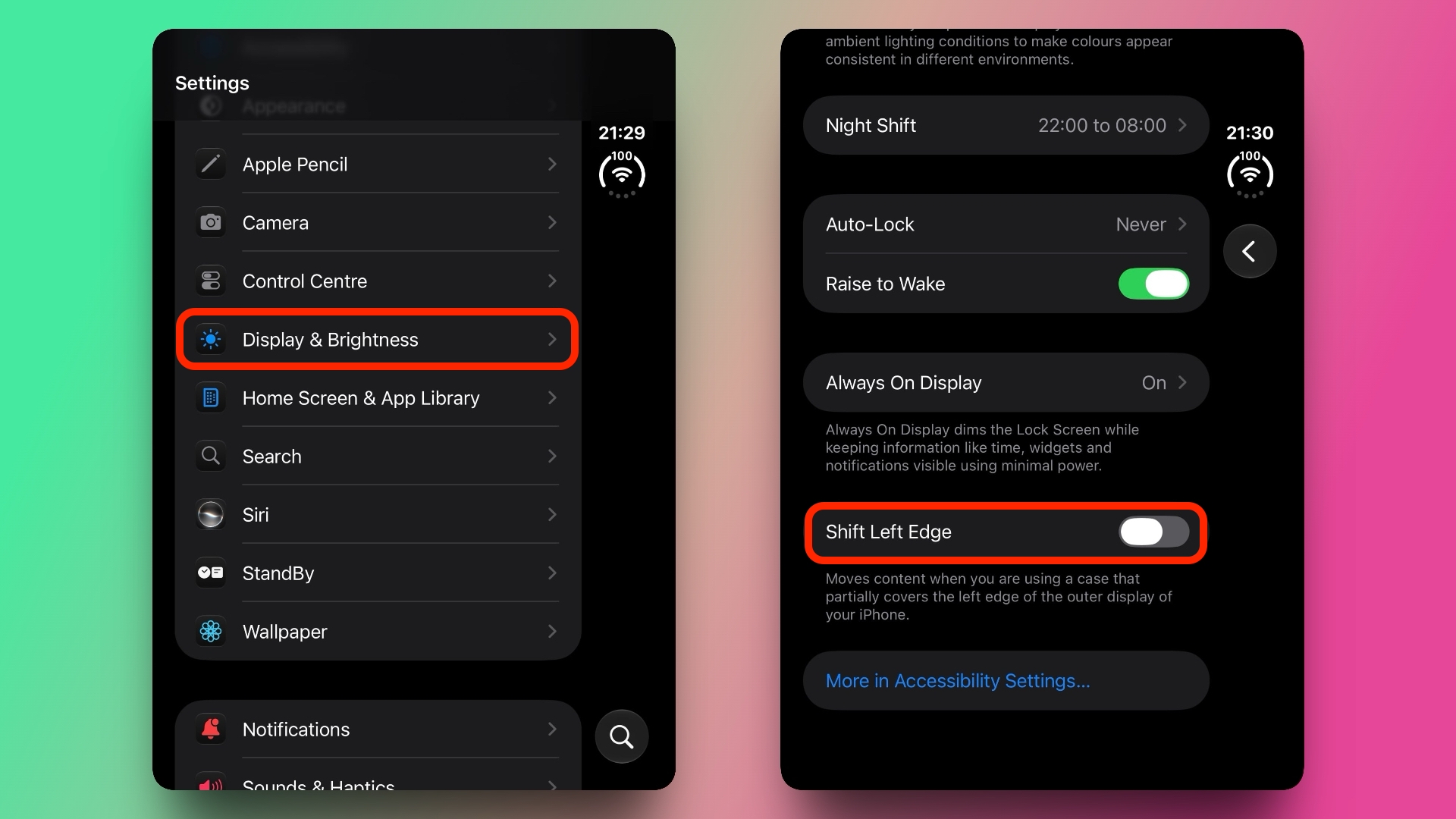
- Open the Settings app on your iPhone Duo.
- Tap Display & Brightness.
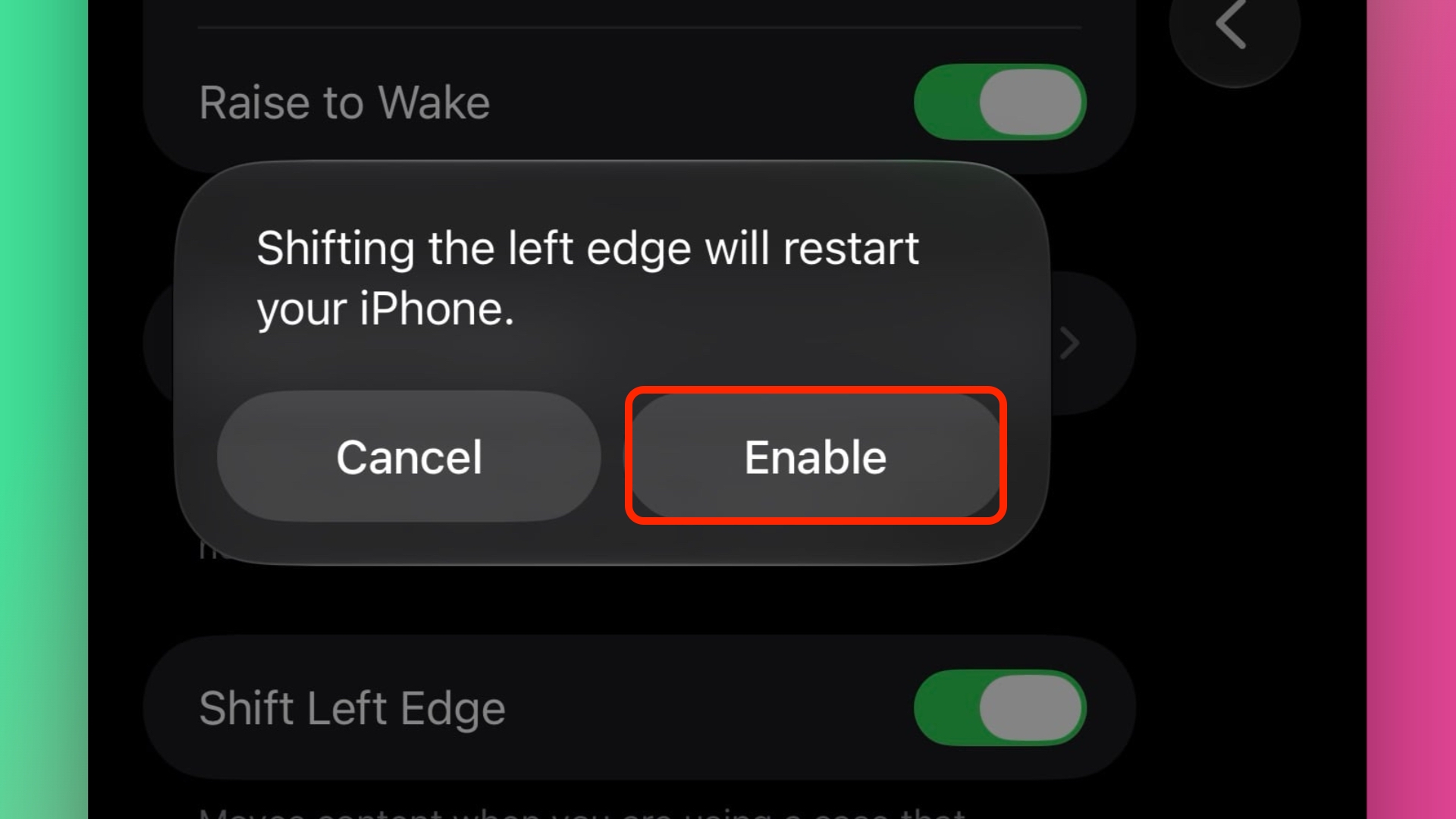
- Toggle on Shift Left Edge, then tap Enable in the prompt that appears.
The final prompt will tell you that your iPhone Duo needs to restart to apply the setting, but it's not a full reboot, and you'll be returned to the same settings screen after a brief black screen.
If you subsequently swipe up to the Home Screen, you'll notice a narrow black border on the left side of the outer screen to accommodate the front portion of the case, leaving no content obscured.
Apple offers two official cases for its new foldable: the aforementioned iPhone Duo Case, and a Folio with Kickstand that causes no such display occlusion.
Related Roundup: iPhone Duo
Buyer's Guide: iPhone Duo (Buy Now)
Related Forum: iPhone
This article, "Adjust iPhone Duo's Outer Display to Accommodate Your Case" first appeared on MacRumors.com
Discuss this article in our forums

0 comments:
Post a Comment